Complete Guide to Turing AI Security Camera Installation in San Jose, CA (2025)
ABOUT
San Jose, California’s innovation capital at the heart of Silicon Valley, demands security solutions that match its technological sophistication. As property crimes continue to affect thousands of residents and businesses annually, forward-thinking property owners are turning to next-generation surveillance systems that leverage artificial intelligence and cloud computing. Turing AI represents the convergence of these technologies, offering an intelligent security platform designed for the modern era.
Founded with a mission to reimagine safety, security, and operations through artificial intelligence, Turing AI develops complex machine learning models that integrate with industry-proven video surveillance hardware to create interconnected AI-enabled solutions. The company has rapidly established itself as a leader in cloud-based video security, with systems deployed at major organizations including Coca-Cola, Trader Joe’s, and Albertsons, as well as thousands of schools, hospitals, and businesses nationwide.
What distinguishes Turing AI from traditional security camera systems is its cloud-first architecture combined with award-winning artificial intelligence capabilities. Rather than relying solely on local storage and manual review of footage, Turing AI systems provide intelligent analysis, proactive alerts, and powerful search capabilities that transform passive surveillance into active security intelligence. For San Jose property owners seeking cutting-edge security solutions that align with Silicon Valley’s technological standards, Turing AI offers compelling advantages. This comprehensive guide explores everything San Jose property owners need to know about installing Turing AI security cameras, from understanding the technology and platform to professional installation procedures, cost considerations, and ongoing system management.
Why Choose Turing AI for San Jose Properties
Turing AI offers multiple deployment approaches to accommodate different property requirements and existing infrastructure. The Edge+ Series cameras provide direct-to-cloud connectivity without requiring Network Video Recorders, ideal for small businesses or remote locations where simplified installation is priority. These cameras include one year of Core AI licensing and can be deployed with minimal technical expertise.
The Smart Series cameras work with Turing NVRs for traditional recorded-then-analyzed architecture, suitable for larger installations requiring extensive local storage or properties with limited internet bandwidth. These systems can be upgraded to cloud connectivity through Turing Bridge devices, providing a migration path for organizations wanting to phase in cloud capabilities gradually.
For locations without traditional internet access, Turing offers SkyShield and SolarShield outdoor systems combining 4G cellular connectivity with optional solar power. These specialized solutions enable surveillance in remote areas, construction sites, or temporary installations where running network cables or power would be impractical.
Turing AI’s cloud-based platform represents a fundamental departure from traditional surveillance systems. Rather than storing all footage locally on Network Video Recorders with limited capacity, Turing AI provides hybrid storage options that combine local recording with cloud backup and analysis. This architecture delivers several critical advantages for San Jose property owners.
The cloud-based platform enables centralized monitoring and management across multiple locations through a single interface, with secure access from any location via mobile devices or web browsers. For San Jose businesses with multiple sites or property management companies overseeing numerous properties, this centralized capability dramatically simplifies security operations while reducing management overhead.
The system’s hybrid storage approach provides redundancy that protects against footage loss due to equipment theft, fire, or technical failures. While cameras continue recording locally when internet connections are temporarily interrupted, the cloud backup ensures critical footage remains accessible even if on-site equipment is compromised. This resilience proves particularly valuable for San Jose businesses where security footage may be needed for insurance claims or legal proceedings.
Turing AI’s revolutionary machine learning models integrate with video analytics to provide AI-enabled security solutions that distinguish between human or vehicle movement and environmental factors, significantly reducing false alarms. This intelligent detection represents a dramatic improvement over motion-based recording systems that generate countless alerts for irrelevant events like swaying trees, passing clouds, or small animals.
The platform’s AI capabilities extend well beyond basic motion detection. Advanced features include facial recognition for identifying persons of interest, license plate recognition with database integration for vehicle tracking, attribute-based search enabling queries like “blue sedan” or “person wearing red jacket,” and people counting for business analytics. For San Jose retail businesses, these analytics provide valuable insights into customer behavior alongside security monitoring.
The system’s smart video search functionality enables rapid investigation of security incidents. Rather than manually scrolling through hours of footage, security personnel can search by specific criteria like person appearance, vehicle type, or location, dramatically reducing investigation time from hours to minutes. This efficiency proves invaluable for San Jose businesses where rapid response to security incidents directly impacts loss prevention.
All Turing AI Smart Series cameras and Edge+ cameras are compliant with the National Defense Authorization Act (NDAA) requirements. This compliance matters significantly for San Jose government agencies, educational institutions, and businesses working with federal contracts. NDAA Section 889 prohibits federal agencies and their contractors from using certain foreign-manufactured surveillance equipment, making NDAA-compliant cameras like Turing AI essential for these organizations.
Beyond federal compliance, NDAA-compliant equipment provides assurance about supply chain security and manufacturing standards. For San Jose businesses concerned about cybersecurity and data protection, choosing NDAA-compliant systems reduces risks associated with potentially compromised hardware or firmware.
The Turing Edge+ series represents the company’s latest innovation in cloud-connected security cameras. These 5-megapixel cameras combine high-quality imaging with built-in AI processing and direct cloud connectivity, eliminating the need for separate Network Video Recorders or licensing fees to begin using the system.
5MP resolution delivering 2880 x 1620 video at 30 frames per second, providing detailed surveillance coverage with clarity sufficient for facial recognition and license plate capture at appropriate distances. The cameras utilize 1/2.7-inch CMOS sensors with wide apertures for superior low-light performance, maintaining color accuracy even in challenging lighting conditions.
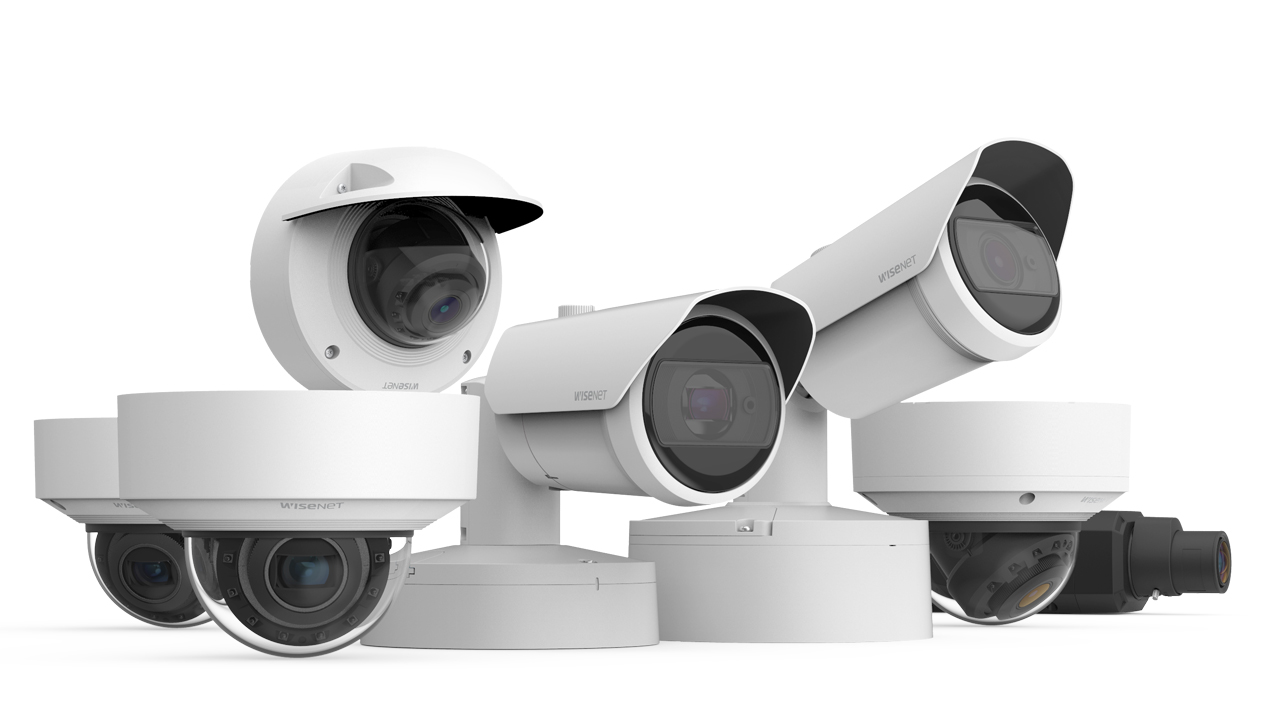
Available form factors include fixed dome cameras for discreet installations, varifocal dome cameras offering adjustable zoom for flexible positioning, fixed bullet cameras providing focused outdoor monitoring, varifocal bullet cameras enabling long-range surveillance, and specialized license plate recognition cameras optimized for vehicle monitoring.
The Edge+ series includes weatherproof ratings of IP66 and impact protection rated IK10, ensuring reliable outdoor operation in San Jose’s mild Mediterranean climate while withstanding intentional tampering attempts. Operating temperature ranges from -22°F to 140°F accommodate the region’s occasional temperature extremes.
Edge+ cameras support a simple three-click installation process using patent-pending “Batch Add” technology, enabling administrators to deploy hundreds of cameras in seconds once network infrastructure is prepared. This streamlined deployment significantly reduces installation labor costs for large commercial projects.
Each Edge+ camera includes one year of Core AI licensing providing access to Turing Vision’s advanced analytics, with optional extended licensing and continuous cloud recording available as subscription services. The cameras maintain local backup recording on microSD cards up to 256GB, with automatic upload of AI-detected events when internet connectivity returns after interruptions.
Turing’s Smart Series cameras represent traditional IP camera architecture enhanced with modern AI capabilities. These NDAA-compliant cameras connect to Turing NVRs for local recording with optional cloud connectivity through Bridge devices.
Smart Series cameras feature 5MP and 8MP resolution options with proprietary TwilightVision technology for superior day and night low-light image clarity, and VibrantView color technology providing enhanced color accuracy in low-light conditions. Smart IR illumination automatically adjusts intensity based on subject distance, preventing overexposure of nearby objects while maintaining visibility at extended ranges up to 131 feet.
Camera types include turret cameras combining dome discretion with easy installation and aiming, bullet cameras for focused outdoor surveillance with longer IR ranges, PTZ cameras offering pan-tilt-zoom capabilities for dynamic monitoring, panoramic dual-sensor cameras stitching multiple images for wide-area coverage, and active deterrence cameras combining surveillance with built-in speakers and lights for proactive threat prevention.
Smart Series NVRs are available in 4-channel, 8-channel, 16-channel, 32-channel, and 64-channel configurations, each featuring smart search capabilities, sophisticated playback controls, and support for upgrading to Turing Vision cloud platform through Bridge devices. Storage capacities range from 2TB to 12TB, with expansion options for larger installations requiring extended retention periods.
The system’s Wide Dynamic Range technology, rated at 120dB, balances exposure in challenging lighting situations common at San Jose building entrances where bright exterior sunlight contrasts with shadowy interiors. This capability ensures clear facial recognition even in backlit conditions.
Turing offers several specialized camera types addressing unique surveillance requirements. License Plate Recognition cameras utilize advanced optics and processing specifically optimized for capturing vehicle plates under various lighting and weather conditions, supporting multiple plate formats and states for comprehensive vehicle tracking.
The SkyShield and SolarShield outdoor systems provide self-contained surveillance solutions for locations lacking traditional infrastructure. These weatherproof enclosures combine NVRs, cameras, 4G cellular connectivity, and battery backup into single-unit deployments. SolarShield variants add solar panels for completely off-grid operation, ideal for construction sites, parking lots, or temporary security installations.
Turing’s autonomous patrol robots represent the company’s most innovative offering, combining mobile platforms with AI-powered sensors for dynamic security monitoring across large properties. While primarily deployed at major commercial and industrial sites, these robots demonstrate Turing AI’s commitment to advancing security technology beyond fixed camera systems.
San Jose Security Camera Regulations and Compliance
Operating security cameras in California requires careful attention to privacy regulations. California Penal Code Section 647 prohibits installing cameras in areas where individuals maintain reasonable privacy expectations, including bathrooms, locker rooms, changing areas, and bedrooms. Violations can result in criminal charges and civil liability.
The Workplace Technology Accountability Act, implemented in 2025, requires employers to provide 14-day advance written notice explaining all surveillance technologies used in workplaces, including what is monitored, how data is used, and retention periods. San Jose businesses must ensure their Turing AI deployments include proper employee notification and documentation.
California’s two-party consent law governs audio recording, requiring consent from all parties being recorded. Many Turing AI cameras include built-in microphones; however, San Jose businesses should carefully consider whether to enable audio recording given the legal complexity and liability exposure. Most commercial installations disable audio recording or implement clear consent protocols before activation.
The San Jose Police Department’s Connect San Jose program encourages property owners to register security cameras and optionally share footage during emergencies. The program offers two participation levels compatible with Turing AI systems.
Level 1 Camera Registration allows voluntary registration through a secure online portal, creating a database of available cameras that investigators can reference when requesting footage following incidents. Registration requires no equipment installation and involves no access to live feeds, simply documenting camera locations for future investigative reference.
Level 2 Camera Integration through Fusus CORE devices enables businesses and residents to provide conditional access to camera feeds during nearby emergencies. Property owners retain control over access permissions, with all data protected through AES 256-bit encryption. The system does not employ facial recognition, focusing instead on rapid evidence gathering and emergency response coordination.
Turing AI’s cloud-based architecture integrates seamlessly with both registration levels. The platform’s instant sharing capabilities enable rapid footage transfer to law enforcement through secure links, whether through voluntary registration response or emergency integration systems. This compatibility with San Jose’s public safety initiatives enhances community security while maintaining privacy controls.
Best Practices for Legal Compliance
Turing Vision Platform Capabilities
Turing Vision enables monitoring of all live camera feeds from one centralized platform, with smart search capabilities for quickly finding and sharing event clips through people detection, vehicle detection, and intrusion detection. This unified interface dramatically simplifies security operations for San Jose businesses managing multiple locations or extensive camera networks.
The web-based dashboard provides customizable views organizing cameras by location, type, or function. Administrators can create custom monitoring layouts focusing on high-priority areas while maintaining access to all cameras through hierarchical navigation. Mobile applications for iOS and Android provide identical functionality, enabling security personnel to monitor and respond from anywhere.
Multi-site management capabilities prove particularly valuable for San Jose property management companies, retail chains, and organizations with distributed operations. Rather than maintaining separate systems for each location, Turing Vision consolidates all properties into unified oversight, with role-based access controls ensuring personnel only view cameras appropriate to their responsibilities.
The platform’s artificial intelligence capabilities transform passive surveillance into proactive security intelligence. Facial recognition features enable creation of watchlists for persons of interest, with automatic alerts when individuals appear at any monitored location. This capability proves valuable for San Jose retailers dealing with organized retail theft or businesses needing to track unauthorized access attempts.
Vehicle recognition detects and tracks vehicles by license plate, with support for exact or partial plate matching and plate state identification for precise identification. Criminal database integration enables automatic alerts when vehicles on hotlists enter monitored areas, providing advance warning of potential security threats.
Person attribute search allows investigators to locate individuals based on clothing color, gender, or other visual characteristics without requiring facial recognition match. This capability proves invaluable when investigating incidents involving individuals whose faces weren’t clearly captured or who are unknown to the system.
People counting analytics track facility traffic patterns, providing business intelligence alongside security functions. San Jose retail stores can analyze customer flow, identify peak traffic periods, and optimize staffing accordingly. Office buildings can monitor occupancy levels for safety compliance and resource allocation.
Advanced AI algorithms minimize false alarms by distinguishing between security-relevant events and environmental factors, with alerts customizable by event type, location, camera, role, or shifts. This intelligent filtering ensures security personnel focus attention on genuine threats rather than wasting time investigating irrelevant motion alerts.
The platform supports multiple notification channels including push notifications to mobile devices, email alerts with event thumbnails and video clips, SMS text messages for critical events, and integration with third-party security management systems. Notification rules can be configured based on time of day, day of week, and specific camera locations, ensuring appropriate escalation during business hours versus overnight periods.
Alert verification features enable security personnel to quickly assess threats through instant access to live feeds and recent footage. One-click sharing capabilities facilitate coordination with law enforcement or emergency responders, providing immediate context for incident response.
Traditional surveillance systems require manual review of footage, often consuming hours of security staff time. Turing Vision’s smart video search enables searching by face, person attributes, and person history, allowing rapid identification of important events and simplified security operations. Investigators can locate specific individuals across multiple cameras and time periods within seconds rather than hours.
Timeline visualization presents detected events chronologically with thumbnail previews, enabling rapid scanning of activity patterns. Investigators can filter timelines by event type, location, or time period, quickly narrowing to relevant footage. Advanced playback controls including variable speed, frame-by-frame stepping, and synchronous multi-camera viewing support detailed investigation.
Export and sharing functions enable rapid distribution of evidence. Investigators can create video clips of specific incidents, share live stream links with stakeholders, and download footage in standard formats for submission to law enforcement or insurance companies. All sharing occurs through secure, encrypted channels with access controls ensuring only authorized recipients view footage.
Turing Vision integrates with third-party security systems through ONVIF compatibility, enabling incorporation of existing cameras into the platform. This integration capability proves particularly valuable for San Jose businesses with existing surveillance infrastructure who want to add AI capabilities without replacing functional equipment. Turing Vision requires at least Essential licensing for third-party camera integration.
The platform supports integration with access control systems, enabling correlation of entry events with video footage. When individuals badge into facilities, associated video clips can be automatically tagged, simplifying investigations of unauthorized access or time-tracking verification.
IP speaker integration enables two-way communication and active deterrence. Security personnel can broadcast warnings to individuals engaging in suspicious behavior, often preventing incidents before they escalate. Pre-recorded messages can be triggered automatically based on AI detection of specific events.
Integration with building management systems, alarm panels, and sensors creates comprehensive security ecosystems. Motion sensors can trigger camera recording and alert generation, while alarm activations automatically pull up associated camera feeds for rapid assessment.
Installation Cost Breakdown
Understanding the financial investment required for Turing AI installation in San Jose requires examining both equipment and licensing components.
Edge+ Series cameras typically range from $300 to $500 per unit depending on specific model and features. Fixed dome and bullet cameras occupy the lower end of this range, while varifocal models with adjustable zoom and specialized license plate recognition cameras command premium pricing. Each camera includes one year of Core AI licensing, reducing initial subscription costs.
Smart Series cameras range from $200 to $400 per unit depending on resolution and features. Basic 4MP turret cameras with fixed lenses start around $200, while 8MP varifocal cameras with active deterrence capabilities approach $400. These cameras require separate NVR purchases and optional cloud licensing through Bridge devices.
Network Video Recorders for Smart Series deployments range from $400 for 4-channel models with 2TB storage to $2,500 or more for 32-channel enterprise systems with 12TB redundant storage. NVR selection depends on total camera count, desired retention period, and future expansion plans.
Turing Bridge devices enable cloud connectivity for Smart Series cameras, costing approximately $300 to $500 depending on channel capacity. These devices unlock Turing Vision platform access for NVR-based systems, providing migration paths for organizations wanting to phase in cloud capabilities gradually.
Networking equipment includes PoE switches, cables, and installation materials. Enterprise-grade PoE switches supporting multiple cameras range from $150 for 8-port models to $800 or more for 24-port managed switches with advanced features. Pre-terminated Cat6 cables cost $20 to $80 each depending on length, with maximum runs of 295 feet for PoE applications.
Storage considerations for Edge+ cameras include local microSD cards (256GB cards cost approximately $50 each) plus optional cloud recording subscriptions. Smart Series systems require adequate NVR storage for retention requirements, with enterprise-grade 4TB hard drives costing $150 to $250 each.
Turing AI’s licensing structure differs from traditional surveillance systems. Edge+ cameras include one year of Core AI licensing valued at several hundred dollars per camera annually. This licensing provides access to all standard Turing Vision features including AI analytics, cloud backup, and smart search capabilities.
After the first year, Core AI licensing renewal costs vary based on commitment period and camera quantity, typically ranging from $100 to $200 per camera annually for multi-year commitments. Volume discounts apply to larger installations, making per-camera costs more economical for San Jose businesses deploying dozens or hundreds of cameras.
Basic VMS (Video Management System) functionality is available free with no licensing costs for organizations wanting simple viewing and local recording without advanced AI features. This free tier provides entry-level access suitable for small businesses with basic surveillance requirements.
Essential and Premium licensing tiers offer enhanced features including advanced analytics, extended cloud storage, and third-party camera integration. These tiers target enterprise customers requiring sophisticated capabilities, with pricing typically negotiated based on deployment scale and specific requirements.
Continuous cloud recording represents an optional subscription enabling 24/7 upload of all footage to cloud storage rather than only AI-detected events. This service costs approximately $5 to $15 per camera monthly depending on resolution and retention period, providing maximum data protection for critical installations.
Labor rates for Turing AI installation in San Jose reflect the region’s higher cost of living and competitive technology job market. Licensed installers typically charge $100 to $200 per camera for complete installation including mounting, cabling, configuration, and testing. Alternatively, hourly rates of $125 to $175 may apply to complex installations requiring extensive customization or integration with existing systems.
Small residential installations featuring 4 Edge+ cameras typically cost $2,000 to $3,500 including equipment and professional installation. This assumes straightforward installations in modern construction with accessible cable routing paths.
Medium business deployments with 8 cameras mixing Edge+ and Smart Series typically cost $4,000 to $7,500 complete. This includes NVRs if required, network infrastructure upgrades, and comprehensive configuration with training.
Large commercial installations with 16 or more cameras, multiple NVRs, and advanced integration can range from $10,000 to $35,000 or more depending on scope and complexity. These deployments often include customized monitoring stations, redundant systems, and sophisticated analytics configurations.
Several factors influence final installation costs in the San Jose area:
Property characteristics significantly impact labor requirements. Older buildings with limited attic access, concrete walls, or challenging cable routing can increase installation time by 50 to 100 percent compared to newer construction with accessible pathways and drop ceilings.
Network infrastructure readiness affects overall costs. Properties lacking adequate PoE capacity or structured cabling may require substantial upgrades costing several thousand dollars before camera installation begins. The Edge+ series’ ability to work with existing networks through standard PoE switches can mitigate some of these costs.
Cloud connectivity requirements vary by deployment type. Edge+ cameras require reliable internet with adequate upload bandwidth, while Smart Series systems can operate with minimal cloud connectivity if AI features aren’t required. San Jose’s excellent internet infrastructure typically supports Turing AI requirements without special provisions.
Training and support should be factored into total costs. Comprehensive administrator training on Turing Vision platform capabilities ensures maximum value from the investment. Many installers include basic training in installation costs, with advanced training and ongoing support available as optional services.
Small business Edge+ deployment: 4 cameras, PoE switch, basic installation: $2,500 to $4,000
Medium retail store: 8 Smart Series cameras, 16-channel NVR with 4TB storage, Bridge device, professional installation and configuration: $5,500 to $8,500
Large office complex: 24 mixed Edge+ and Smart Series cameras, two NVRs, redundant network infrastructure, access control integration, professional installation: $20,000 to $40,000
Enterprise multi-site: 100+ cameras across multiple San Jose locations, centralized management, premium licensing, comprehensive training and support: $75,000 to $150,000+
These estimates reflect typical 2025 San Jose area pricing and should be considered approximate. Specific costs vary based on property characteristics, equipment selections, and installer pricing structures. Multiple quotes from licensed professionals ensure competitive pricing while maintaining quality standards.
Cost savings motivate DIY installation decisions. Organizations with capable IT staff can potentially save 40 to 60 percent of professional installation costs by handling mounting, cabling, and configuration internally. For basic Edge+ deployments with straightforward requirements, these savings can be substantial.
Technical requirements should not be underestimated. Successful Turing AI installation requires comfortable familiarity with network configuration, IP addressing, cloud platform setup, PoE power requirements, and basic construction skills. The Edge+ series’ simplified three-click installation process reduces complexity compared to traditional systems, but proper network preparation remains essential.
Edge+ advantages for DIY make these cameras particularly suitable for self-installation compared to traditional surveillance systems. The direct-to-cloud architecture eliminates NVR configuration complexity, while the simplified batch addition process enables rapid camera deployment once physical installation completes. San Jose businesses with capable IT teams may find Edge+ DIY installation feasible where traditional systems would require professional assistance.
Time investment can be considerable even for technically proficient teams. First-time Turing AI installers should expect 4 to 6 hours per camera for complete installation including planning, mounting, cabling, configuration, and testing. This time investment may exceed money saved for organizations with limited availability or challenging installation environments.
Limited vendor support represents a significant DIY drawback. While Turing AI provides documentation and technical resources, DIY installers must troubleshoot issues independently. Professional installers offer expert guidance, ongoing support, and rapid problem resolution that prove invaluable when complications arise.
Licensing and warranty implications should be verified before attempting DIY installation. Some warranty provisions and enhanced licensing options may require professional installation certification. Organizations should confirm all terms before committing to DIY approaches that might void protections or limit features.
Many San Jose organizations adopt hybrid strategies balancing cost savings with professional expertise. Common approaches include purchasing equipment independently while hiring professionals for installation only, handling straightforward camera mounting while contracting network configuration and cloud setup, or installing initial cameras professionally while expanding the system through DIY additions as staff develops expertise.
These balanced approaches optimize both costs and installation quality while building internal capabilities for future system management and expansion.
Step-by-Step Installation Process
Successful Turing AI installation begins with thorough planning and site assessment. Define security objectives clearly, determining whether priority focuses on deterring criminal activity, monitoring specific areas for safety compliance, recording evidence for potential investigations, or providing business intelligence through people counting and traffic analysis. These objectives guide camera placement, product selection, and configuration decisions.
Conduct comprehensive coverage mapping by walking through properties noting all entry points, high-value asset locations, vulnerable areas, and blind spots requiring monitoring. Document sight lines, lighting conditions, and mounting surface types. Create floor plans or site diagrams indicating proposed camera positions, ensuring comprehensive coverage without excessive overlap while maintaining budget constraints.
Assess network infrastructure capabilities including available PoE switch ports, internet bandwidth and reliability, router capacity, and cable accessibility. Edge+ cameras require reliable internet with adequate upload bandwidth for cloud connectivity, while Smart Series cameras can operate with minimal cloud access if Bridge devices aren’t deployed. Calculate total system data requirements ensuring infrastructure supports planned deployment without performance degradation.
Evaluate power availability noting existing PoE switch capacity or need for expansion. Each Edge+ camera consumes approximately 12-15 watts, while Smart Series cameras require similar power levels. Ensure switches provide adequate power budget for all cameras with safety margin for future expansion. Properties lacking sufficient PoE capacity require switch upgrades before camera installation begins.
Mounting preparation varies by camera type and surface. Edge+ and Smart Series cameras typically mount to junction boxes using included brackets. For concrete or brick surfaces, drill mounting holes using masonry bits and install wall anchors appropriate for surface type. For wood surfaces, use wood screws directly into studs for secure attachment. For finished interior spaces, install cameras to electrical boxes or surface-mount junction boxes painted to match surroundings.
Camera positioning requires attention to height, angle, and coverage area. Mount cameras 8 to 12 feet high for optimal facial capture while remaining accessible for future maintenance. Angle cameras to capture faces rather than top-of-head views, typically requiring slight downward tilt. For parking lot coverage, position cameras to capture license plates at entry and exit points with sufficient resolution at expected distances.
Cable management significantly impacts installation appearance and longevity. For Edge+ cameras, route Cat6 Ethernet cables from switches to camera locations through attics, crawl spaces, wall cavities, or conduit for exterior runs. Use outdoor-rated cables for external runs, protecting cables with conduit or cable raceways where exposed. Maintain minimum bend radii preventing cable damage. Label both ends of each cable identifying corresponding camera and switch port.
Weatherproofing ensures reliable outdoor operation. Even with IP66-rated cameras, proper cable entry protection prevents moisture intrusion. Use junction boxes with cable glands or sealed entry points. Apply silicone sealant around mounting bases preventing water accumulation behind cameras. Verify all connections are tight and gaskets properly seated before energizing systems.
PoE switch setup provides power and data connectivity for cameras. Connect switches to network routers using appropriate uplink ports. Configure switch management interfaces if using managed switches, enabling features like port mirroring for troubleshooting or quality of service for bandwidth prioritization. Document port assignments matching each camera to specific switch ports.
IP addressing strategy should follow organizational standards. Edge+ cameras typically receive DHCP addresses initially, with static assignments or DHCP reservations recommended for production deployments preventing address changes from breaking configurations. Smart Series cameras similarly benefit from consistent addressing. Maintain documentation mapping each camera to IP addresses, physical locations, and switch ports.
Internet bandwidth verification ensures adequate cloud connectivity for Edge+ cameras. Each camera typically consumes 1-3 Mbps upload bandwidth depending on resolution and activity levels. Test upload speeds during peak usage periods confirming available bandwidth supports camera count with safety margin. Configure quality of service on routers and switches prioritizing camera traffic if bandwidth constraints exist.
Firewall configuration may require adjustments for cloud connectivity. Edge+ cameras initiate outbound connections to Turing cloud services, typically requiring no inbound firewall rules. However, corporate firewalls with strict outbound filtering may need rules allowing camera communication. Consult Turing documentation for current cloud service IP addresses and port requirements.
Account creation and licensing begins deployment process. Create organization accounts through Turing AI’s partner network or direct sign-up portals. Associate camera serial numbers with accounts, automatically applying included Core AI licensing for Edge+ cameras or activating appropriate licenses for Smart Series systems with Bridge devices.
Camera addition to Turing Vision varies by product line. Edge+ cameras use the patent-pending Batch Add feature enabling addition of hundreds of cameras through a simple three-click installation process. Scan camera QR codes using mobile applications or enter serial numbers through web interfaces, with cameras appearing in platform within minutes once network connectivity establishes. Smart Series cameras connect through NVRs and Bridge devices, requiring Bridge configuration before cameras become visible in Turing Vision.
Location organization structures camera management. Create location hierarchies matching physical layouts, such as corporate divisions containing individual buildings containing floors. Assign cameras to appropriate locations enabling intuitive navigation and filtered viewing. Configure location-specific settings like time zones, business hours, and monitoring schedules.
User management and permissions control access to systems. Create user accounts for all personnel requiring system access, assigning roles appropriate to responsibilities. Administrator roles enable full system configuration and management. Operator roles allow live monitoring and playback with limited configuration access. Viewer roles restrict access to specific cameras or locations without configuration privileges. Apply principle of least privilege, granting users only necessary access levels.
Detection zones focus AI analytics on relevant areas while excluding regions generating false alerts. Define zones for intrusion detection focusing on property boundaries while excluding public sidewalks or streets. Create line-crossing rules monitoring entry and exit through doorways or gates. Establish loitering detection in sensitive areas where prolonged presence indicates security concerns.
Alert rules generate notifications for security events. Configure person detection alerts for after-hours monitoring when buildings should be vacant. Establish vehicle detection rules for restricted parking areas or loading docks during non-business hours. Set up facial recognition alerts when persons of interest appear at any monitored location. Customize notification methods and recipients by event type, location, and time period.
Search configurations optimize investigation capabilities. Create person-of-interest watchlists with photographs enabling automatic identification across camera network. Establish vehicle-of-interest databases with license plates triggering alerts when vehicles appear. Configure attribute-based search parameters enabling rapid queries during investigations.
Business analytics leverage AI for operational intelligence. Enable people counting on store entrances tracking customer traffic patterns. Configure dwell time analytics identifying high-interest areas or bottlenecks. Activate queue detection monitoring checkout lines enabling responsive staffing decisions.
Cloud Configuration and Remote Access
Turing AI’s hybrid storage architecture combines local recording with cloud backup and AI event storage. Edge+ cameras record continuously to local microSD cards while uploading AI-detected events to cloud storage in real-time. During internet outages, cameras buffer up to 5 hours of AI events, automatically uploading when connectivity restores. This approach ensures critical events reach cloud storage while managing bandwidth consumption.
Smart Series systems with Bridge devices operate similarly, recording all footage to NVRs while uploading AI events to cloud. Organizations can optionally enable continuous cloud recording for complete redundancy, though this service incurs additional subscription costs based on camera count and retention period.
Storage retention policies should balance security requirements against costs. AI event storage included with Core licensing typically provides 30-day retention, sufficient for most incident investigation timeframes. Extended retention periods are available through premium licensing for organizations requiring longer evidence preservation.
Local storage management for Edge+ cameras involves selecting appropriate microSD card capacities. 256GB cards provide approximately 7-14 days of continuous recording at typical settings, serving as backup during internet outages or supplement to cloud storage. Regularly verify card health through platform monitoring, replacing cards showing errors or performance degradation.
Turing Vision mobile applications for iOS and Android provide full platform access from smartphones and tablets. Download applications from respective app stores, login with organizational credentials, and access all cameras and features available through web interfaces. Mobile apps prove particularly valuable for San Jose businesses requiring remote monitoring during off-hours or when managers are off-site.
Push notifications deliver real-time alerts to mobile devices, enabling rapid response to security events regardless of location. Configure notification preferences by event type and priority, ensuring critical alerts generate immediate notifications while routine events can be reviewed during regular monitoring sessions.
Live streaming from mobile devices consumes cellular data when accessing outside WiFi coverage. Turing Vision automatically adjusts stream quality based on connection speed, maintaining smooth viewing while managing bandwidth consumption. For cellular access, expect 1-2 Mbps consumption per camera stream, with multiple streams increasing data usage proportionally.
Turing Vision’s sharing capabilities facilitate collaboration with stakeholders, law enforcement, and emergency responders. Generate secure viewing links for specific video clips or live streams, distributing links through email, text message, or messaging applications. Recipients access shared content through web browsers without requiring Turing Vision accounts, eliminating access barriers during critical situations.
Shared links include configurable expiration periods and view limits, ensuring content remains accessible for necessary duration while preventing indefinite distribution. All sharing activity is logged in audit trails, providing accountability for footage distribution particularly important when sharing with external parties.
Integration with San Jose’s Connect San Jose program enables streamlined evidence sharing with law enforcement. When incidents occur and police request footage, generate secure links providing access to relevant time periods and camera angles, accelerating investigative processes while maintaining control over footage access.
Turing AI implements comprehensive security measures protecting surveillance footage and system access. All data transmissions between cameras, cloud servers, and client applications use end-to-end encryption preventing interception. Cloud storage utilizes AES 256-bit encryption protecting archived footage from unauthorized access.
Multi-factor authentication adds security layer beyond passwords, requiring secondary verification through mobile authenticator applications or SMS codes. Enable MFA for all administrator accounts and recommend for all user accounts, significantly reducing risk of unauthorized access through compromised credentials.
Regular security audits review user access logs identifying unusual activity patterns. Monitor login times and locations, investigating access from unexpected geographic regions or unusual hours. Periodically review active user accounts, disabling those no longer requiring system access preventing accumulation of unnecessary access points.
Maintenance and System Optimization
Physical camera maintenance preserves image quality and reliability. Clean camera lenses quarterly using microfiber cloths and approved lens cleaning solutions, avoiding abrasive materials scratching protective coatings. Inspect outdoor cameras for moisture accumulation, insect intrusion, or vegetation growth obstructing views. Verify mounting hardware remains tight, particularly in locations subject to vibration or environmental exposure.
Firmware updates address security vulnerabilities and introduce feature improvements. Turing Vision provides over-the-air (OTA) updates for Edge+ cameras, automatically notifying administrators when updates become available. Updates typically apply with single clicks, streamlining maintenance processes. Smart Series cameras and NVRs require manual firmware updates downloaded from Turing AI websites and uploaded through administrative interfaces.
Storage management ensures adequate recording capacity and data integrity. Monitor microSD card health in Edge+ cameras through platform dashboards, replacing cards showing errors or reduced performance. For Smart Series NVRs, verify hard drive health through SMART monitoring tools, proactively replacing drives showing warning signs before failures occur. Test storage media periodically confirming recordings can be retrieved and played back properly.
Network performance monitoring maintains reliable cloud connectivity and streaming quality. Monitor network bandwidth utilization ensuring camera traffic doesn’t saturate connections degrading performance for other applications. Test upload speeds periodically confirming adequate bandwidth availability particularly after internet service changes or increased camera deployments.
License management ensures continued access to platform features. Track Core AI license expiration dates for Edge+ cameras, renewing before expiration preventing service interruptions. For organizations with multiple cameras and licenses, establish renewal schedules consolidating expirations where possible simplifying administrative overhead.
Alert threshold tuning balances sensitivity with false alarm reduction. Initial deployments should use default settings while monitoring alert volumes and accuracy. Adjust detection sensitivity thresholds if receiving excessive false alerts from environmental factors or insufficient alerts missing genuine events. Configure different thresholds for cameras in varying environments, with parking lot cameras potentially requiring different settings than building entrance cameras.
Detection zone refinement improves alert accuracy by excluding areas generating irrelevant detections. After observing system performance for several weeks, adjust zones excluding trees swaying in wind, flags moving, or traffic beyond property boundaries triggering false alerts. Create more precise intrusion zones matching actual security boundaries rather than full camera fields of view.
Watchlist optimization for facial recognition and license plate detection requires ongoing maintenance. Periodically review watchlists removing individuals or vehicles no longer relevant. Add new entries as security requirements evolve. Ensure watchlist photographs are high quality with clear facial views enabling accurate matching. For license plate watchlists, verify plate numbers are correct including state identifiers.
Search parameter development creates investigation templates accelerating future incident response. Develop commonly used search queries as saved searches, enabling rapid execution during time-sensitive investigations. Create templates for frequent scenarios like after-hours person detection, vehicle entry during closed periods, or person-of-interest tracking across multiple locations.
System health dashboards in Turing Vision provide real-time status for all cameras and network devices. Monitor camera online status identifying offline cameras requiring attention. Review bandwidth consumption patterns identifying cameras consuming excessive bandwidth possibly indicating configuration issues or tampering. Track AI event volumes identifying cameras generating unusual alert patterns.
Common issues and resolutions include offline cameras (verify PoE switch ports are active, check cable continuity, confirm camera power LED status), poor image quality (clean lenses, adjust focus on varifocal cameras, verify adequate lighting or adjust low-light settings), excessive false alerts (refine detection zones, adjust sensitivity thresholds, verify camera mounting stability), and cloud connectivity failures (verify internet connectivity, check firewall rules, confirm DNS resolution).
Professional support services provide expert assistance when complex issues arise. Turing AI offers technical support through partner networks and direct channels. Support tiers range from basic email support to premium packages with phone assistance and guaranteed response times. San Jose businesses should establish relationships with local professional installers offering ongoing support services, ensuring rapid on-site response when remote troubleshooting proves insufficient.
Turing AI represents the convergence of cloud computing, artificial intelligence, and professional-grade security hardware, delivering surveillance capabilities previously available only to enterprise organizations with extensive budgets and technical resources. For San Jose property owners seeking security solutions matching Silicon Valley’s technological sophistication, Turing AI offers compelling advantages including centralized multi-site management, intelligent analytics reducing false alarms while detecting genuine threats, and flexible deployment options accommodating diverse property requirements and budgets.
The platform’s NDAA compliance ensures suitability for government agencies and contractors, while integration with San Jose’s Connect San Jose program demonstrates compatibility with public safety initiatives. Whether protecting a residential property in Willow Glen, securing a retail store in Santana Row, monitoring a tech startup in North San Jose, or managing a multi-site enterprise across Silicon Valley, Turing AI provides scalable solutions adaptable to evolving security needs.
Success with Turing AI deployments requires careful planning, proper installation whether through professional contractors or capable internal teams, and ongoing optimization of AI analytics and system configurations. Working with experienced professionals familiar with both Turing AI technology and San Jose regulations ensures compliant installations delivering maximum value while avoiding common pitfalls that compromise effectiveness.
As security threats continue evolving and business intelligence requirements increasingly intersect with traditional security functions, Turing AI’s cloud-based AI-powered platform positions San Jose organizations to meet both current needs and future challenges. The combination of award-winning hardware, sophisticated software, and flexible deployment options makes Turing AI a compelling choice for forward-thinking property owners prioritizing both security and operational intelligence.
Learn More From
Frequently Asked Questions
Turing AI combines cloud-based video management with advanced artificial intelligence analytics, enabling smart search, proactive alerts, and centralized multi-site management. Traditional systems rely on local recording with manual footage review, while Turing AI’s machine learning algorithms automatically identify security events, track persons and vehicles of interest, and provide business intelligence alongside security monitoring.
Complete Turing AI installations in San Jose typically cost $2,500 to $4,000 for small 4-camera Edge+ residential systems and $5,500 to $8,500 for medium 8-camera commercial deployments including Smart Series cameras and NVRs. Costs vary based on camera selection, installation complexity, network infrastructure requirements, and licensing levels. Large enterprise deployments with 20+ cameras often range from $20,000 to $40,000 or more.
While DIY installation is possible for wireless cameras with straightforward mounting, professional installation is recommended for wired systems, commercial applications, or installations requiring network integration. Licensed installers ensure code compliance, optimal camera positioning, and proper configuration while providing warranty protection.
Yes, all Turing AI Smart Series and Edge+ cameras meet National Defense Authorization Act (NDAA) Section 889 compliance requirements. This compliance makes Turing AI suitable for federal government agencies, educational institutions receiving federal funding, and businesses working with government contracts requiring NDAA-compliant surveillance equipment.
Edge+ Series cameras connect directly to cloud without requiring NVRs, simplifying deployment and reducing equipment costs. Smart Series cameras work with Turing NVRs for local recording, with optional cloud connectivity through Bridge devices. The choice depends on whether cloud-first architecture or traditional NVR-based recording better fits your requirements and existing infrastructure.